CRM for a VR venue: sessions, bookings and customer records
A VR venue manages more than headsets. Administrators coordinate guests, session times, play areas and party packages. When laser tag and a party room are part of the same business, a single event may involve several resources.
LASERWAR CRM can be evaluated for the organisational side of this operation: bookings, customers, services and the schedule. Game types and additional services let you describe VR sessions and mixed programmes. Test the resource configuration against your operating model; integration with a particular headset platform is a separate question.
Define what guests reserve
Do guests buy an individual station, a group session or an entire free-roam arena? Your answer determines the resources and scheduling model. Do not assume that one generic venue represents several independently bookable stations.
For an arena hired as a whole, one resource may be suitable. For individual stations and overlapping sessions, test whether the available configuration represents your capacity accurately. Use a busy-day example rather than an empty calendar.
Separate service duration from turnover time
Create clear service names for short sessions, longer play and parties. Allow for briefing, fitting equipment and turnaround between groups. Staff should understand when the next guests can start, not just when the game ends.
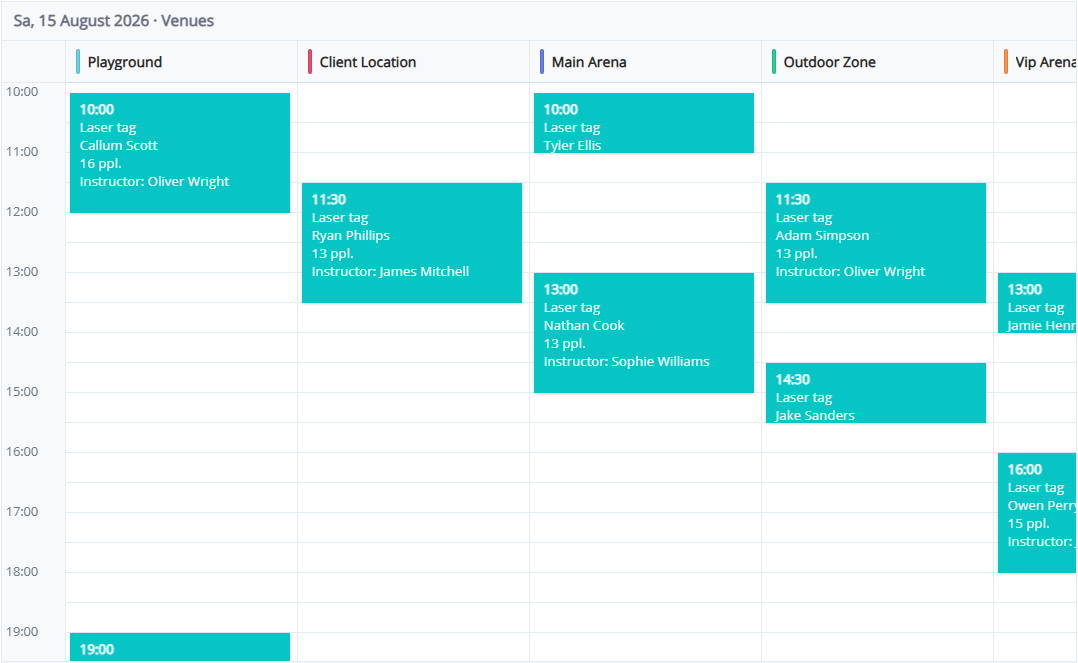
Calendar views by venue and board can help review several areas. Confirm that the view and resource setup are useful for your actual operating model.
Describe mixed entertainment packages
An illustrative party might include laser tag, VR and time in a party room. Record the programme, guest count and additional services. Check each resource separately where activities take place in different zones: one booking card should not be presented as automatically reserving every stage unless that behaviour has been tested.
Keep customer context
The organiser's details, previous enquiries and booking arrangements help staff handle repeat visits. For children's parties, the contact is usually a parent or organiser. Collect only necessary information and follow your applicable privacy requirements.
Keep operational messages separate from promotional campaigns. A configured messaging channel is not, by itself, marketing consent.
Keep CRM and the VR platform distinct
CRM organises the venue. Launching games, licensing content, controlling headsets and running in-game timers belong to the VR platform. Treat any connection between them as a separate integration that needs verification.
In the demo, test your venue resources, typical sessions, overlapping bookings, deposits and additional services. Ask an administrator to interpret the schedule without the owner's explanation. That is a useful way to judge whether the workflow fits.
Try LASERWAR CRM with one realistic venue scenario before deciding how to roll it out.