Two new calendar views parallel games by arena and on a board
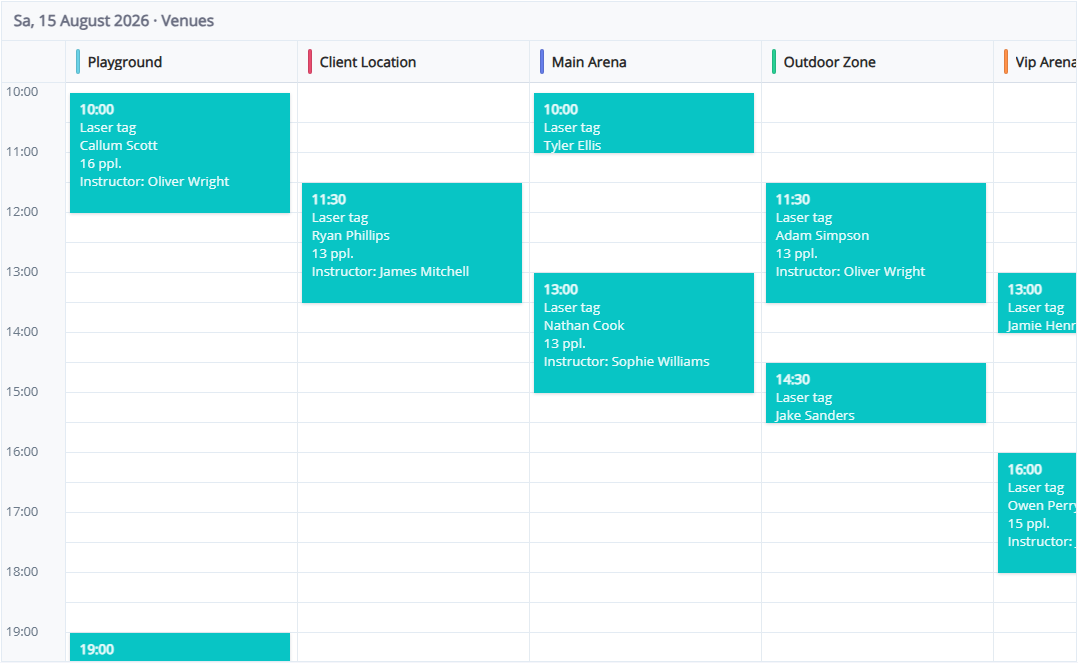
When your club runs several arenas, multiple games happen at the same time. Cards used to stack on top of each other — overlap was visible, but not which venue was free.
Two new layouts are available next to the classic modes: Venues and Board. The old ways to show parallel games stay.
Why it exists
The desk needs a two-second answer: “is 2 PM free on laser tag if VR is booked?” The owner must not sell two games on one arena. An instructor needs to see what else is running at the same time.
What stayed
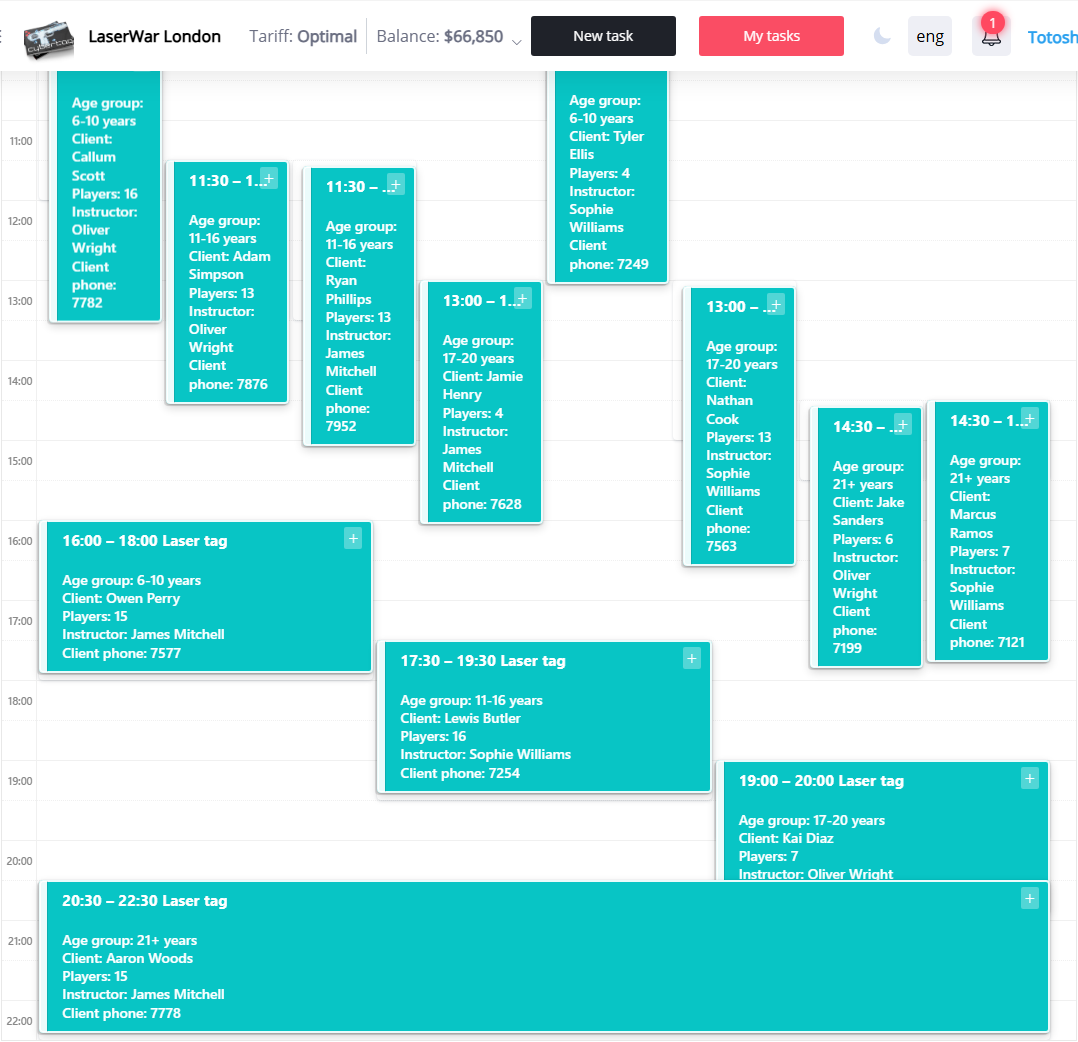
The calendar gear still has two overlap modes:
- With overlap — stacked cards, you see the time clash
- Side by side — parallel bookings sit in columns in one slot

Calendar is still month, week and day with those settings.
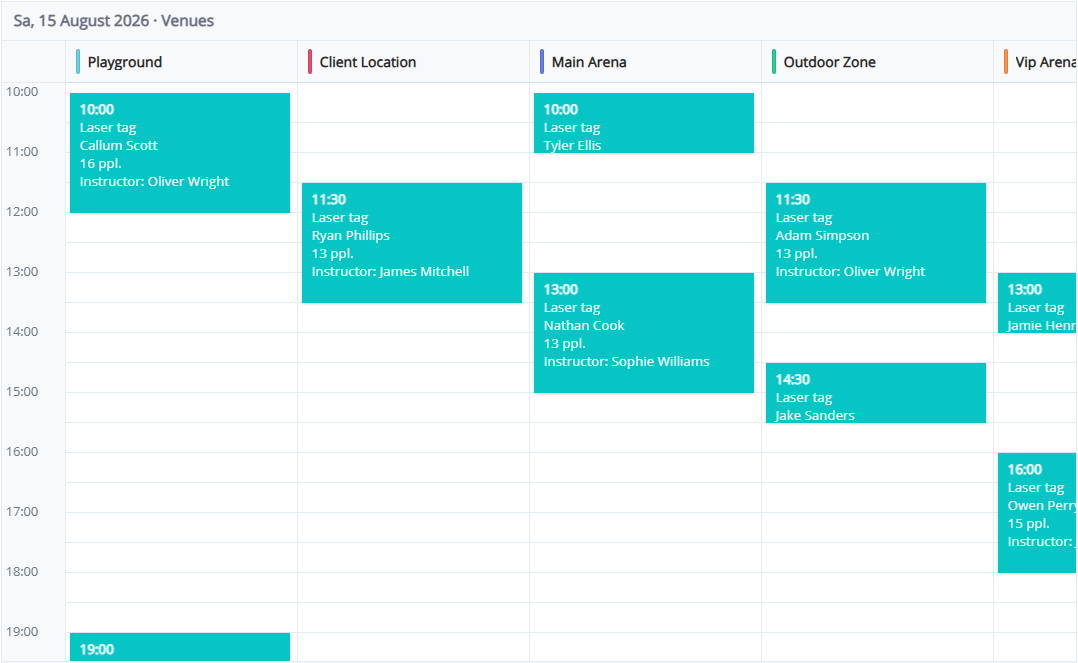
Venues — one column per arena
Time on the left, arenas as columns. Parallel games no longer sit on top of each other. An empty cell is a free slot; a click opens a new booking for that arena and time.
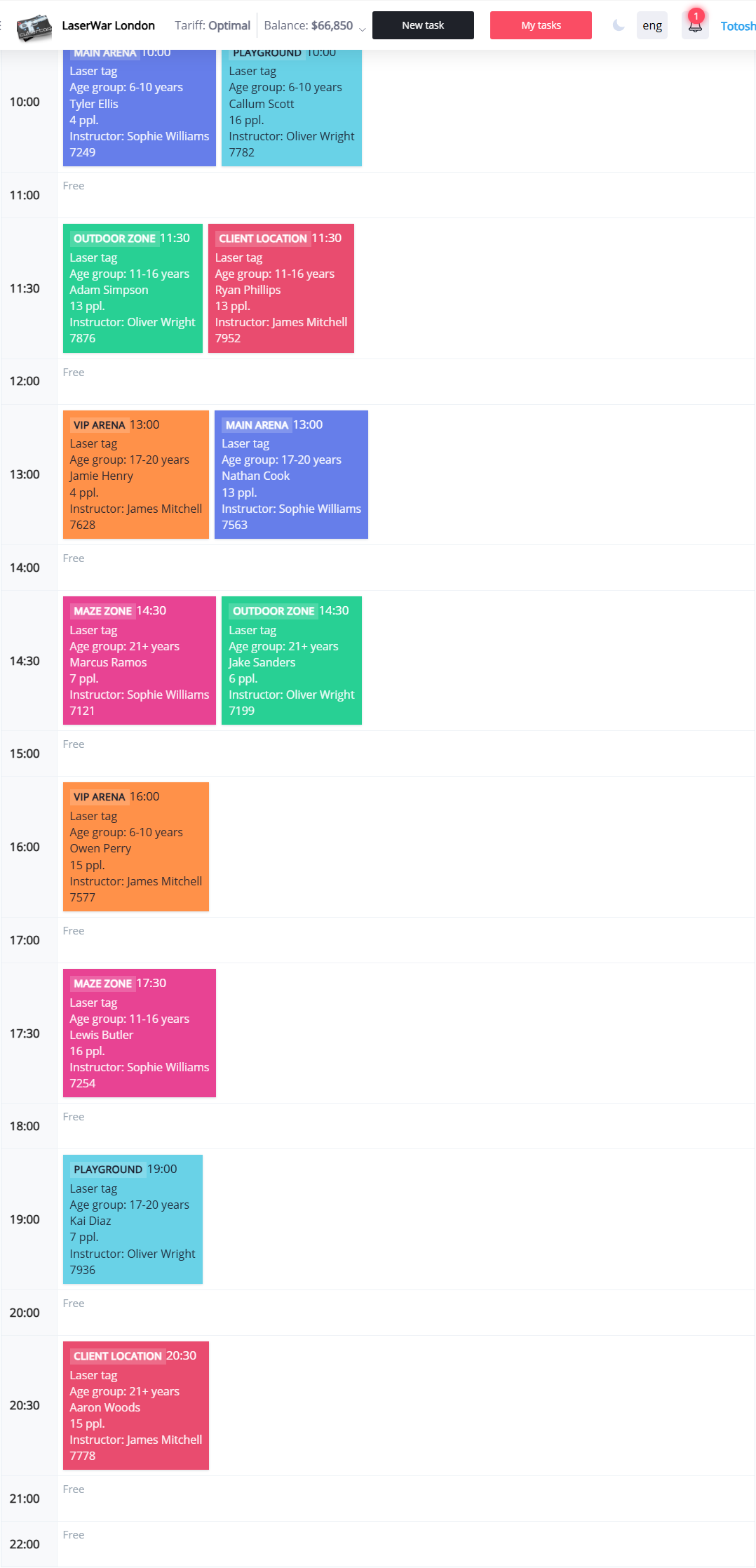
Board — slots like a dispatch board
Each hour is a row. Three games at 12:00 means three cards: arena, guest, player count. Empty hours are marked. Useful for the whole shift without scrolling a grid.
How to switch
- Open Orders → calendar
- Next to the gear, click Calendar, Venues or Board
- The browser remembers the choice