In the “Statuses” item, a list of application statuses is formed. In the future, you will be able to generate reports and analyze received requests for events by status.
The central part of the window displays a list of application statuses, custom and available by default.
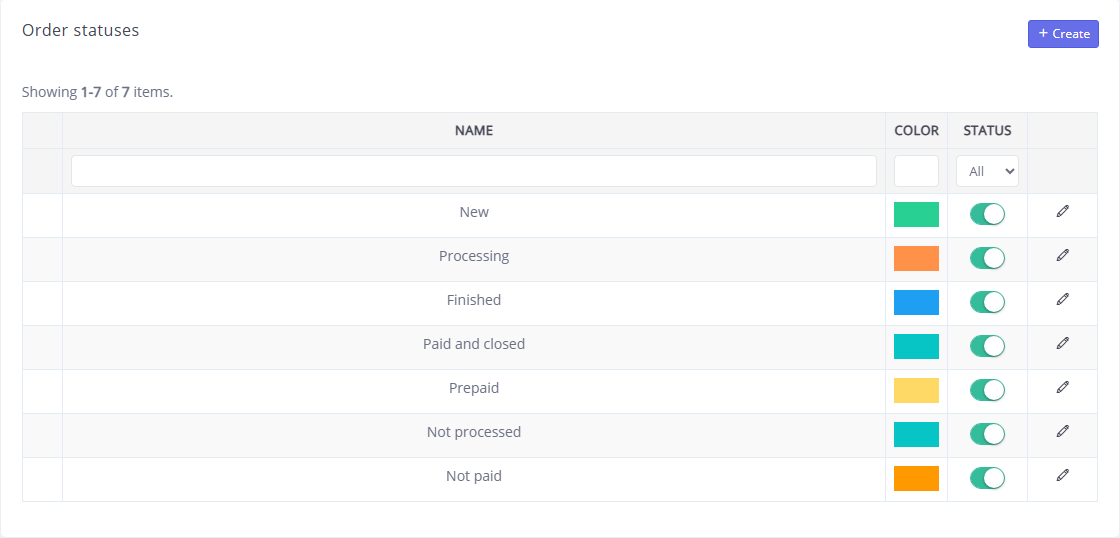
Application statuses are divided into open - these are statuses in which the application is still being worked on, and closed - - work on them has been completed or is not relevant.
Openapplications include the following set of statuses:
New - the application was created in CRM;
Not processed - the application was created using a form on the mini-site;
In progress - this status is set by the manager who accepted the application for work;
Prepaid - this status is set automatically if the client has made an advance payment;
Paid - this status is set automatically if the client has made full payment.
Closedapplicationsinclude the following set of statuses:
Rejected - this status is set by the manager if the application is not relevant;
Closed - this status is set by the manager when work on the application is completed.
You can change the data of a previously entered application by clicking the  in the line with its name. Applications added manually can be deleted using the . To delete several values at once, check the boxes next to them on the left side of the list and click the .
To add a new status, click the Add button. In the window that opens, enter the name of the status in Russian and (if necessary) in English in the appropriate fields.
For each position you can specify its Status: "On" or "Off". statuses of applications with the status "Off" are not deleted from the system, but are no longer displayed in selection lists. We recommend that you do not delete outdated values from the system, but assign them the "Disabled" status in order to preserve the entire history of changes and, if necessary, quickly return the value to the list.
In the field of the same name, you can select the Color of the application status. When you select a status in an application, the values are colored in the color specified for them.
Click theSave button to apply the changes.