If a club has several arenas, parallel games are running at the same time. A regular calendar shows this with a stack of cards: it is clear that the slot is occupied, but it is not immediately clear which site is free.
There are three types of requests in the calendar. The old two modes of parallel games in the gear were not removed.

Why this
- The administrator answers in a second: “Is there a 14:00 at laser tag if VR is already occupied?”
- The ownerdoesn’t sell two games for one arena
- The instructorsees who is playing in parallel and where to go
As it was - and left
Open the gear on the right in the calendar. Field "Parallel games":
- With overlay - cards in a stack, you can see the intersection in time
- Columns next to each other - parallel orders stand in columns in the same slot

The Calendar view is month, week and day with these settings. Click “Save” after changing the mode.
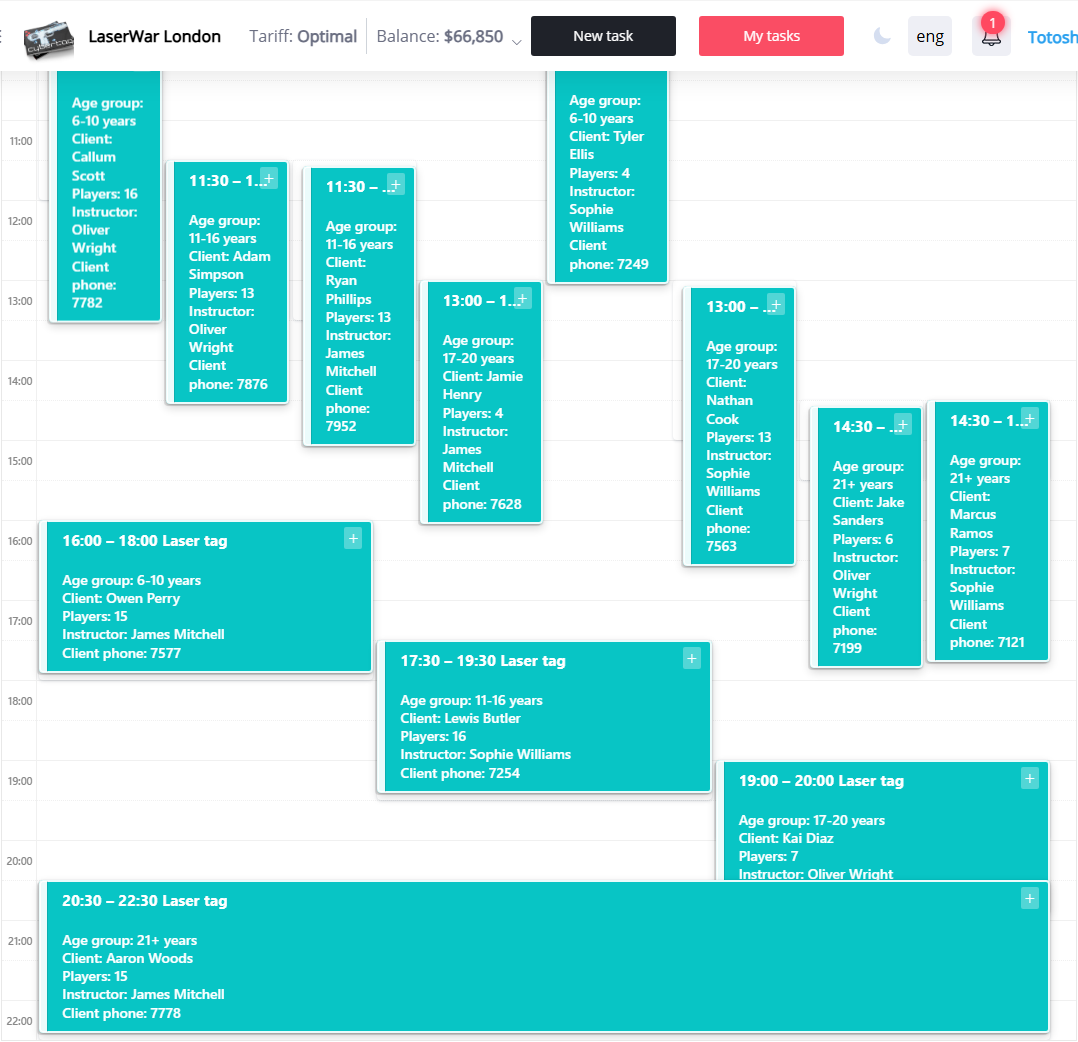
Venues
Column for each arena, time left. Laser tag, VR and the room do not collide with each other. Empty cell - slot is free: click opens the creation of an application for this site and time.
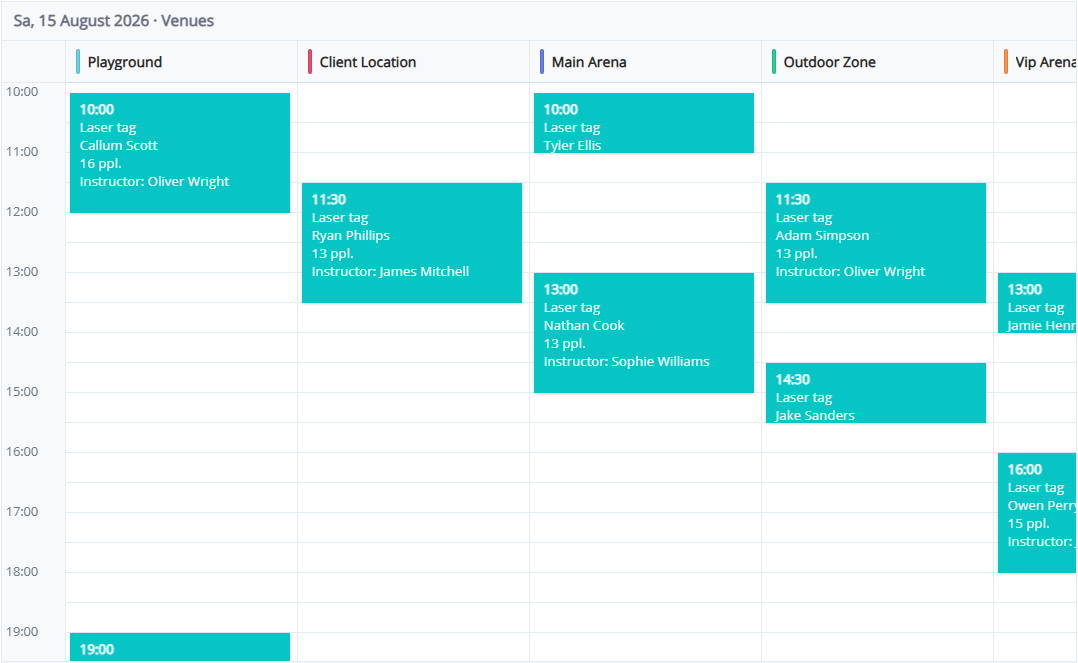
When to open: many arenas, you need to see how busy each one is, book “hole” by clicking on the grid.
Scoreboard
Every hour - a line. If there are three games at 12:00, three cards are next to each other: site, client, number of players. A free hour is marked “Free.”
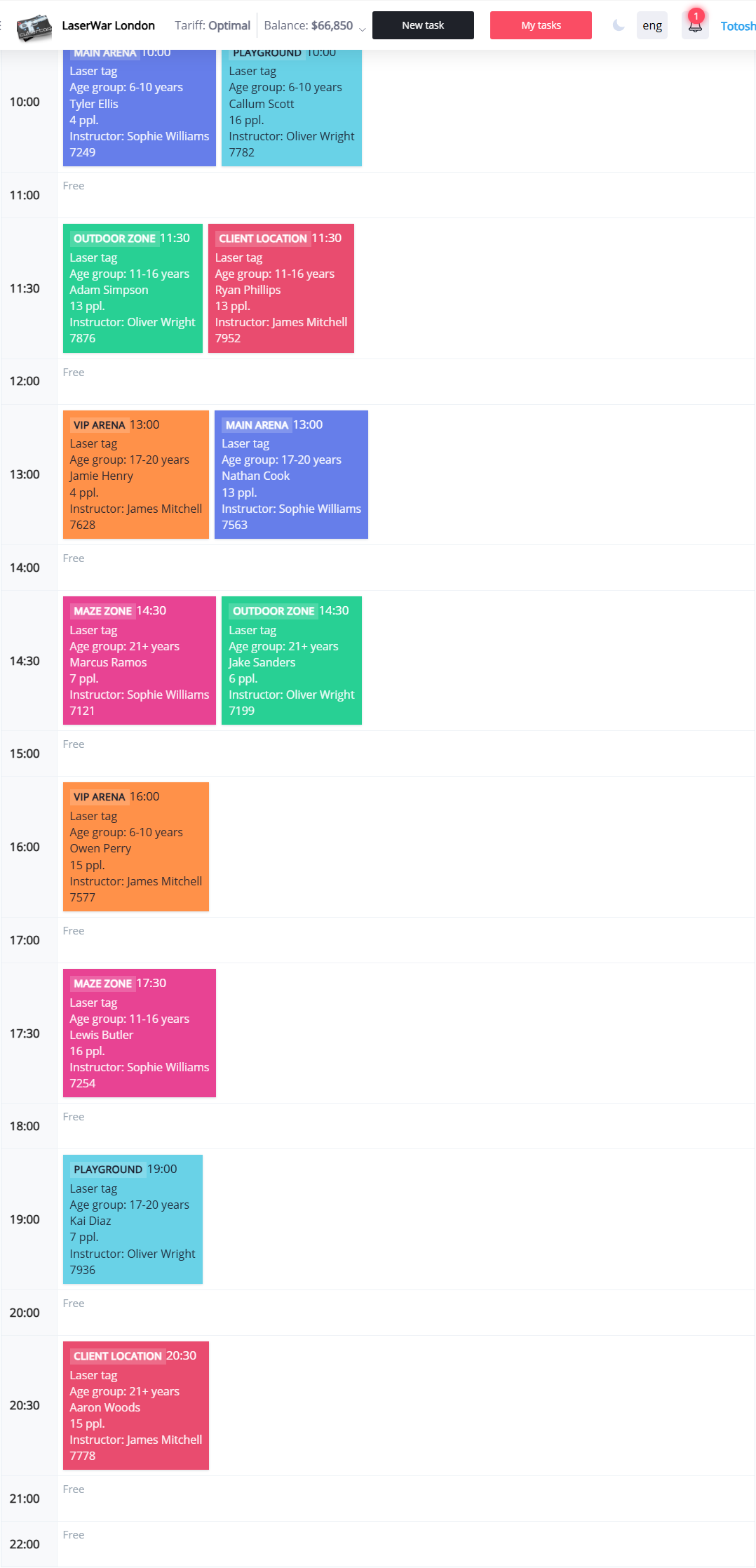
When to open: watch the entire shift, distribute instructors, do not scroll through the grid.
How switch
- Side menu → Requests (calendar)
- At the gear, click Calendar, Platforms or Scoreboard
- The browser remembers the choice. To return the stack and columns, use the “Calendar” again and the settings in the gear
Filters for statuses and sites work in all types.